iTriangle
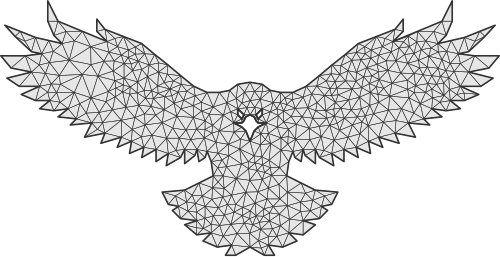
Introduction
- Easy way to get your triangulation!
Features
- Delaunay triangulation
- Uniform triangulation with a target edge length
- Interior vertex relaxation with fixed boundaries
- Break into convex polygons
- Support any kind of polygons
- Self-Intersection Resolving
Uniform Triangulation and Mesh Relaxation
uniform_triangulate(path, edgeLength) splits boundary edges and adds an interior
lattice to build a Delaunay mesh with a target edge length. It accepts a contour,
shape, or multiple shapes and returns Delaunay directly. The edge length must
be finite, positive, and above the integer engine’s coordinate precision.
After building the mesh, relax_mut() moves its interior vertices toward
the area centroids of their centroid-net cells. Outer and hole boundary vertices
remain fixed. The same relaxed mesh can produce triangles, convex polygons, or
a centroid net. Try the Relaxation checkbox in Tessellation,
enabled by default with up to 24 iterations. Subdivision defaults to Uniform;
choose Circumcenters to compare it with the previous refinement method. The
slider controls target edge length for Uniform and maximum area for Circumcenters.
const triangulator = new Triangulator();
const delaunay = triangulator.uniform_triangulate(shape, 40);
triangulator.free();

const relaxation = delaunay.relax_mut({ maxIterations: 24 });
const mesh = delaunay.to_triangulation();
const cells = delaunay.to_centroid_net(0);
delaunay.free();
RelaxationOptions accepts maxIterations (a non-negative integer, default 8)
and tolerance (a finite, non-negative distance in input coordinates, default 0).
Options may be omitted. The returned RelaxationResult contains iterations
and converged. Invalid options throw an error before modifying the mesh.
To use the previous subdivision method, create a mesh with
triangulate(shape).into_delaunay() and call refine_with_circumcenters(maxArea)
before relaxation.
Use to_centroid_net(0) to return every cell. Its argument is a minimum cell
area filter, independent of the area threshold used to refine the triangles.
Source Code
- Swift Version: iShape-Swift/iTriangle
- Rust Version: iShape-Rust/iTriangle